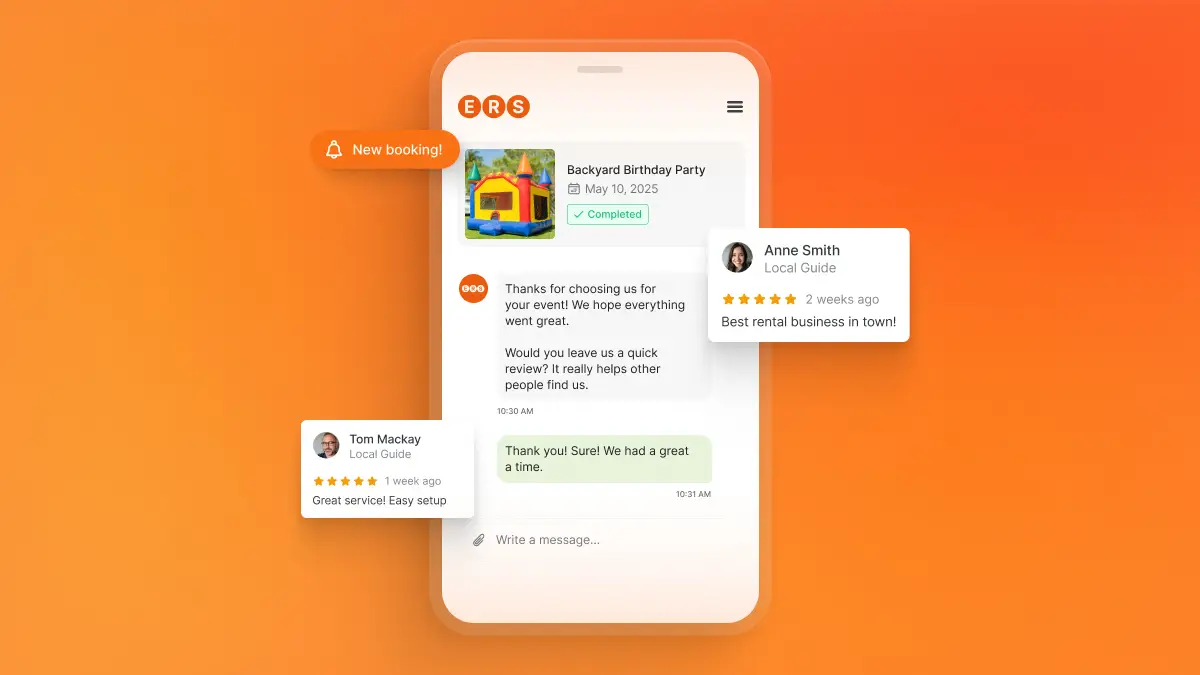

When someone is planning a party or event, they will have plenty of rental options to choose from. They can compare websites, scroll through Google Business Profiles, check social media, and request quotes from multiple rental companies in just a few clicks. So before they spend hundreds or even thousands of dollars on rentals, they are looking for peace of mind that they won’t regret spending that money with your business.
This is where reviews become one of your strongest marketing assets.
Think about it: customers rely on reviews when they shop on Amazon, book a restaurant, choose a hotel, or compare local rental companies, and your party rental business is no different.
Reviews are valuable, but getting reviews consistently and maximizing their value isn’t a spontaneous process. For this, you need an easy, reproducible system for requesting, receiving, and showcasing reviews.
In this guide, we’ll cover where to collect reviews, when and how to ask for them, and how to automate review requests so you can keep collecting customer feedback that builds trust and helps drive more bookings.
TL;DR Overview
- Reviews help party rental customers feel more comfortable choosing your business before they view your website or contact you
- Google Business Profile is usually the best catch-all review platform, but Facebook and niche platforms can also play an important role depending on your audience
- The best time to ask for a review is usually within 48 hours after the event, while the customer’s experience is still top of mind
- An automated platform like HighLevel can help you schedule and send text and email review requests, so you can collect more reviews without adding more admin work
Where to Get Reviews for Your Party Rental Company: Google, Facebook, and Niche Directories
The best place to collect reviews is where your customers are already searching.
When someone searches for “bounce house rentals near me,” “tent rentals near me,” or “party rentals in Austin,” your Google reviews can appear directly in local search results, giving your business a chance to show up in front of customers right when they’re ready to book.
A strong Google review profile can help your business look more credible, earn more clicks, and give potential customers a reason to trust your business before they even visit the website for your party rental business.
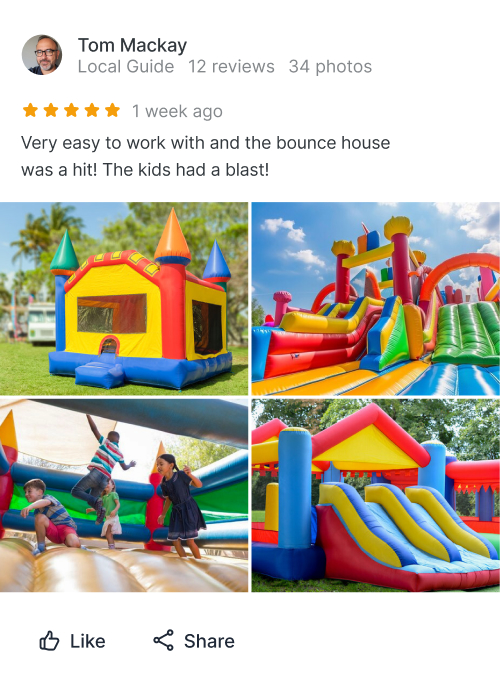
Google should be your main review platform, especially during the busy season where strategic marketing is key. But it does not have to be the only one. Facebook is also a useful place to collect reviews and recommendations, especially for community-centered events like backyard parties, school events, church events, and local fundraisers where digital word of mouth plays a big role in who customers end up choosing.
Don’t have a Google Business Profile yet? Use our easy-to-follow guide to setting up your very own Google Business Profile for Party Rentals.
If your business targets weddings, corporate events, themed parties, or larger celebrations, niche directories like WeddingWire and The Knot may also be worth prioritizing. Customers on those platforms are often already comparing vendors and looking for social proof that your business can handle their event.
The key is to focus on the review platforms your customers trust most. You do not need to be everywhere at once, but you should be building a steady catalog of reviews on the platforms that help customers feel confident choosing you over another rental business.
When to Ask Customers for a Review After an Event
For party rentals, the best time to request a review is usually within 48 hours after the event. Within that window, the experience is still fresh, the customer still remembers the details, and the positive feeling from a successful event has not worn off yet.
But, as the 48-hour window passes, these factors start to fade.
The goal is not just to get another five-star rating, but to get a detailed review that tells future customers what made the experience easy, reliable, and worth booking.
Happy customers may still be willing to leave a review a week later, but the longer you wait, the more those valuable details start to fade. The easier and faster you make the request, the better chance you have of turning that makes future customers more likely to choose your business.
How to Ask Customers for Reviews Without Making It Complicated
How you ask for a review matters because happy customers are more likely to leave one when the process is easy.
For example, your customer should not have to search for your Google Business Profile, figure out where to click, or have to write a long response. A good review request should be short, personal, and gives them a direct path to leave feedback in just a few taps or clicks.
For most party rental businesses, the best ways to ask are text message, email, and QR codes. Each one can work well as long as the request is simple, timely, and easy to act on.
Use Text Messages for Fast, Simple Review Requests
Text messages work well because they meet customers where they already are: on their phones. A short text with a direct review link makes the next step straightforward and easy. They can tap, leave a quick review, and be done in a minute.
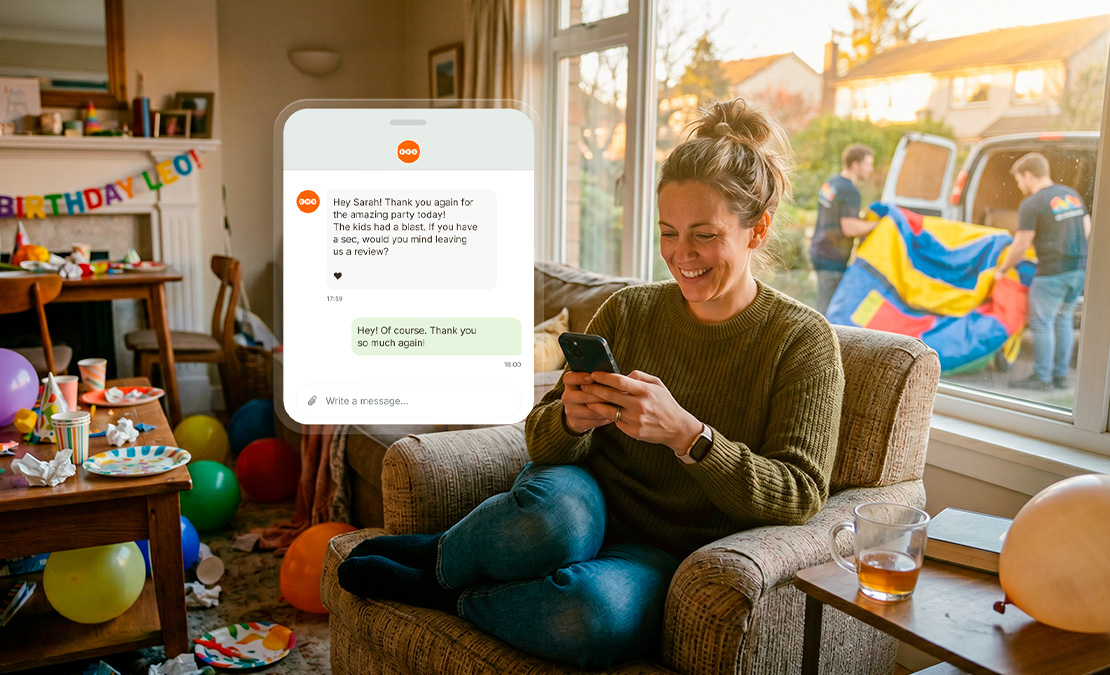
Here is a simple review request you can send after a successful rental:
Hello [First Name], thank you again for choosing [Business Name] for your event! We hope you and your guests enjoyed it. If you have a minute, would you mind leaving us a quick review? It would really help our business book more events: [Review Link]
The goal is not to tell the whole story of your business. The goal is to make it easy for a happy customer to take action while there is still momentum.
Use Email for Larger Events and Professional Follow-Ups
Email still is a reliable channel for getting reviews, and is probably the best-suited channel for larger events, corporate clients, schools, churches, and weddings where the customer may want a more professional follow-up.
Email works well when the review request needs a little more context. It gives you space to thank the customer properly, reference the event, and explain how their feedback helps other people choose a rental company they can trust.
This is a simple email template you can use for your review requests:
Subject: Thank you for renting from [Business Name]
Hello [Customer Name],
Thank you again for choosing [Business Name] for your special occasion. We know how much goes into planning a party, school event, church gathering, or celebration, and we’re grateful you trusted us to be part of it.
If everything went well, would you be willing to share a quick review of your experience? Reviews help other local customers understand what it’s like to rent from us and feel more comfortable choosing a company they can trust.
You can leave your review here: [Review Link]
Thank you again for your business. We appreciate you choosing us to be part of your event.
Best regards,
[Your Name]
[Business Name]
Use QR Codes as Physical Review Reminders
QR codes work well because they serve as a highly visible reminder of the review request and give customers an easy way to leave a review without opening a text or email.
After an event, a customer may miss your email or forget to respond to your text. But if they see a thank-you card or delivery slip with an attention-catching visual and a simple call-to-action message, it gives them another easy path to take action.
You can place a QR code on delivery slips, invoices, thank-you cards, and receipts so the review link stays in plain sight instead of getting buried in a text or email.
For party and event rental businesses, if you offer concessions, photo booths, or other interactive items, you can also place a large, easy-to-scan QR code directly on or near the setup so customers see it while they are enjoying the rental.
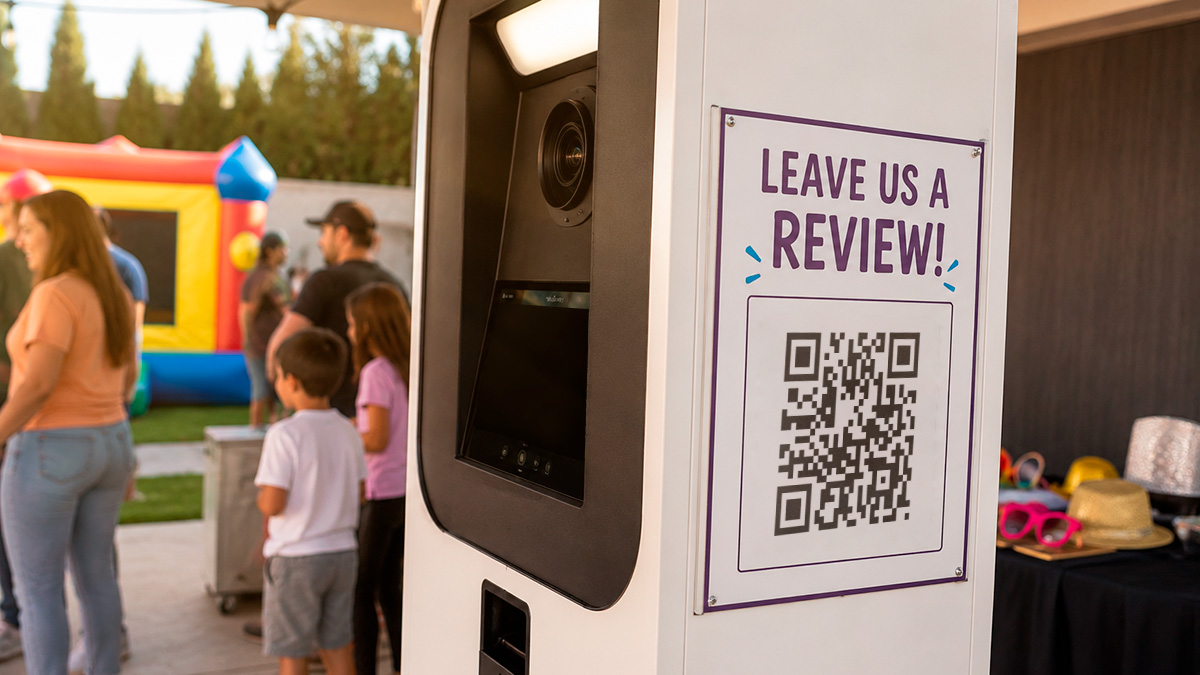
Because these QR codes are intended to be repeatedly seen by guests, this can also support your branding. Instead of placing a plain black-and-white code on a receipt, you can create custom QR codes that match your business colors, logo, and overall style. With today’s design tools, its relatively easy to make QR code graphics more eye-catching while still keeping them easy to scan.
For the messaging, a short CTA like this above or below the QR code is all you need:
Enjoyed your rental experience? Scan here to leave us a quick review. Your feedback helps other local customers book with confidence.
The key is not to overcomplicate it. No matter which channel you use, every review request should make the next step as easy as possible:
- Thank the customer for supporting your business
- A quick explanation for why their review helps
- Give them a direct link or QR code
Simple, timely review requests make it easier to turn a good customer experience into a public review that can help win future bookings.
The challenge is making sure those requests do not depend on memory, busy weekends, or someone remembering to send a follow-up manually.
And this is where automation can make the review request process feel effortless.
How to Automate Review Requests for Your Party Rental Company
Most party rental owners do not miss out on reviews because customers had a bad experience. They miss out because once the event is over, the business has already moved on to the next delivery, pickup, cleaning schedule, or weekend of bookings.
In other words, reviews can easily become “out of sight, out of mind” for busy rental operators.
That is why an automated system that sends review requests after each event is so valuable for party rental businesses.
Rental software paired with a digital marketing platform can help keep customer, event, and order information connected. Instead of digging through emails, spreadsheets, or paper contracts, you can use your booking details to send the right follow-up message at the right time.
With ERS and its HighLevel marketing automation tools, rental businesses can create automated text and email follow-up sequences that keep customers engaged after the event.
That means review requests can become part of the customer journey instead of another task you have to remember during a busy week.
A simple automated review sequence might look like this:
- Day after the event: Send a thank-you message and confirm that you hope everything went smoothly.
- 24–48 hours after the event: Send a short review request with a direct Google review link.
- A few days later: Send one polite reminder if they have not responded.
The important thing is to keep the message personal, even if the process is automated:
- Use the customer’s first name
- Keep the message short
- Reference the event when possible
- Make the review link easy to find
Automation should not make your business sound robotic. It should help you deliver a timely, purposeful follow-ups without having to send review requests manually.
With ERS and HighLevel working together, the review request can become become a built-in part of your post-event communication. You can thank the customer, ask for feedback at the right time, and turn positive experiences into reviews that help future customers feel ready to book.
That is how you turn more happy customers into more public proof, more trust, and more bookings.
If you’re interested in adding a HighLevel digital marketing package to your ERS subscription, submit a request through your customer portal to get started. Not an ERS user? Schedule a free demo today!
Frequently Asked Questions
Should Party Rental Companies Ask for Reviews by Text, Email, or QR Code?
There is no single “best” way to ask for a review. Text, email, and QR codes are all channels you want to use because they each reach your customers in a different way.
Text is often best for smaller, “birthday party” rentals and quick follow-ups. Email works well for larger events, schools, churches, corporate gatherings, and weddings where a more professional message makes sense. QR codes are useful as physical reminders on thank-you cards, receipts, and rented items (photo booths, concession stands).
A good strategy for requesting reviews will use all three, which will give customers the opportunity to leave feedback in the way that best suits them.
Why Should Party Rental Companies Automate Review Requests?
Party rental businesses should automate review requests because manual follow-ups take time and are easy to forget about, especially as your business gets busy.
With the right automated system, you can:
- Send review requests on a recurring schedule after completed events
- Make follow-up easier to manage as your business grows
- Easily customize your messaging so review requests still feel friendly and personal
Adding automation into your rental workflow gives you a better chance of turning happy customers into reviews that build trust and support future bookings.
What Is HighLevel, and How Does It Help Party Rental Operators?
HighLevel is a marketing automation and CRM platform that integrates with ERS, giving party rental businesses an easier way to manage leads, automate text and email follow-ups, send review requests, and keep customer communication organized in one connected workflow.
For review requests, the ERS and HighLevel integration can automate your outreach so you can consistently send the right request, through the right channel, at the right time. It can also give you visibility into which channels, messaging, and calls to action are performing best, so you can improve your review strategy going forward. This makes it easier to collect more reviews from happy customers and build trust that can pay off in future bookings.